DIY Steampunk Homewares with a 3D Printer and a Cricut
Here is the thing nobody tells you about steampunk homewares: the good stuff is often either handmade by an Etsy artisan and priced accordingly, or it is a resin skull with a gear glued on that fell off in transit. There is not much in between.
As an Amazon Associate I earn from qualifying purchases and sometimes recommend products from other sellers at no extra cost you. For more details see my disclosure policy and privacy policy.
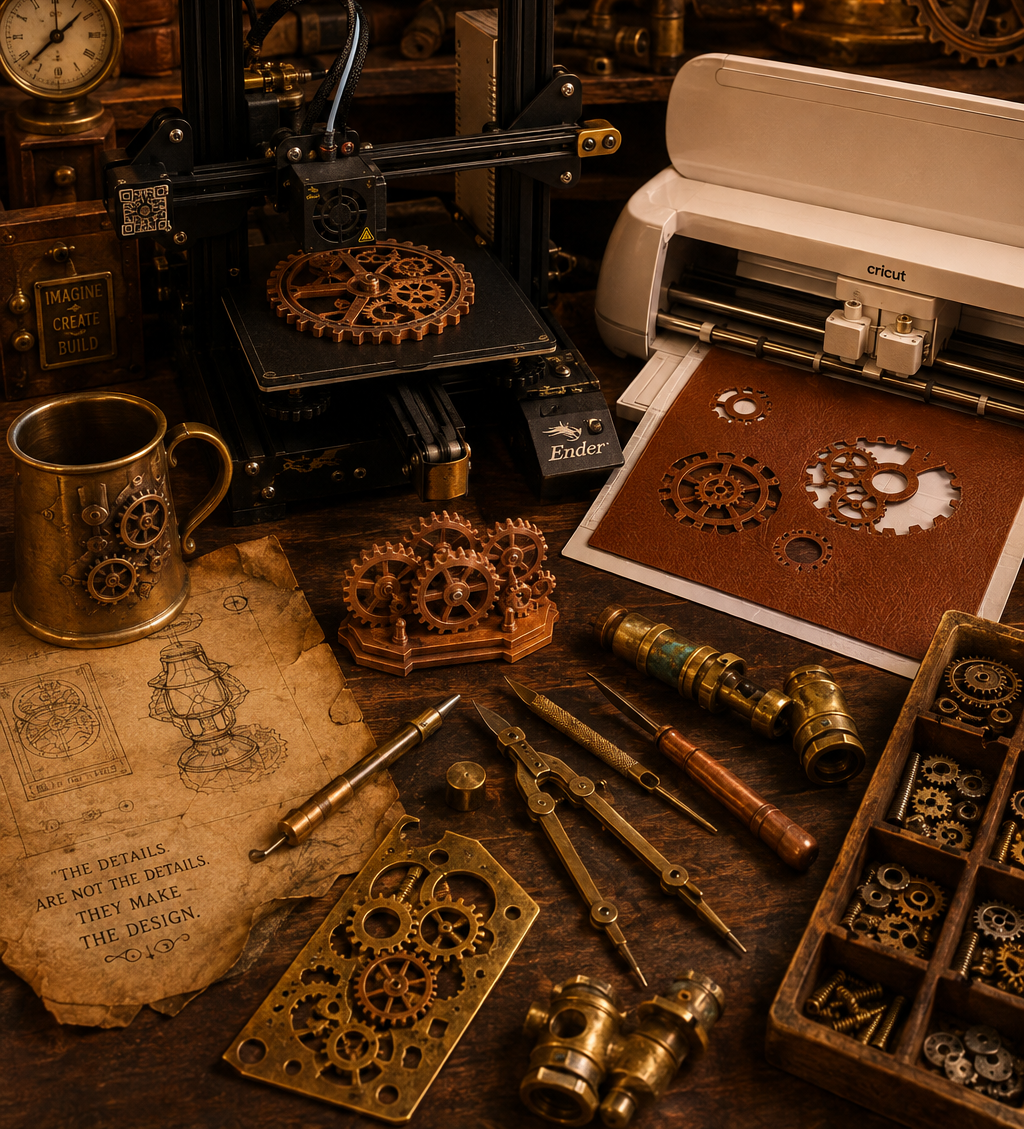
So I bought a 3D printer. Then, because one machine apparently was not enough chaos for one household, I bought a resin printer too. Somewhere in there my Cricut, previously used for approximately one birthday banner a year, got dragged into active service. This post is the toolkit tour I wish someone had handed me before any of that happened.
I want to be upfront about something. I am not an expert. I am a handful of months into all three of these machines, still hitting failed prints, still googling things I should probably already know. If you are hoping for a polished tutorial from someone who has done this for a decade, this is not that post. If you want an honest, beginner’s-eye view of what these tools actually do and which one you reach for on which project, keep reading.
🔧 Why Making Beats Buying (Most of the Time)
Making your own steampunk decor is not just a money thing, though it is partly a money thing.
- Customisation: you can build the exact gear cluster, the exact bracket, the exact size wall piece your actual wall needs, rather than hoping something on Etsy happens to fit.
- Cost over time: the machines are an upfront cost, but once you own them, individual pieces cost pennies to a few dollars in material rather than the $40-plus a handmade seller reasonably charges for their time.
- One-of-a-kind pieces: nobody else’s living room has your exact gear cluster in your exact bronze-and-verdigris paint job.
None of that means buying is wrong. If you want a piece today and do not want to learn a new skill to get it, buy the piece. This post is for the people who, like me, would rather spend a weekend figuring it out.
🛠️ The Beginner’s Toolkit: What Each Machine Actually Does
Three machines, three completely different jobs. Here is the plain-language version.
FDM 3D printing melts a spool of plastic filament and builds your object up layer by layer. It is the workhorse of the three: cheaper, less fiddly, and where most beginners should start. A solid beginner-friendly option right now is something like the Bambu Lab A1 Mini, which handles auto bed levelling and setup well enough that you are printing within the hour rather than the weekend. Or go a bit bigger with the Bambu Ps2 which is the one we bought with the added AMS so we could print up to four colours at once.
Resin printing uses UV light to cure liquid resin into shapes with far finer detail than FDM can manage. It is messier, and needs proper ventilation and a bit more care with the chemicals involved, but it is the only realistic option once you want crisp detail at a small scale. A machine like the Elegoo Mars 5 Ultra is a genuinely beginner-friendly starting point in this category. We went a little higher with the Saturn 4 Pro because there was a good offer on it and it offered a few more features that made it worth it.
Cricut cutting is the odd one out here, since it is not printing anything, it is cutting. Vinyl, cardstock, and faux leather all run through it, which makes it the tool for flat detail work: stencils, decals, and faux-leather accents that would be nearly impossible to get clean by hand with scissors and a craft knife.
🗜️ Matching the Tool to the Project
This is the bit that actually matters once you own all three: knowing which machine to reach for.
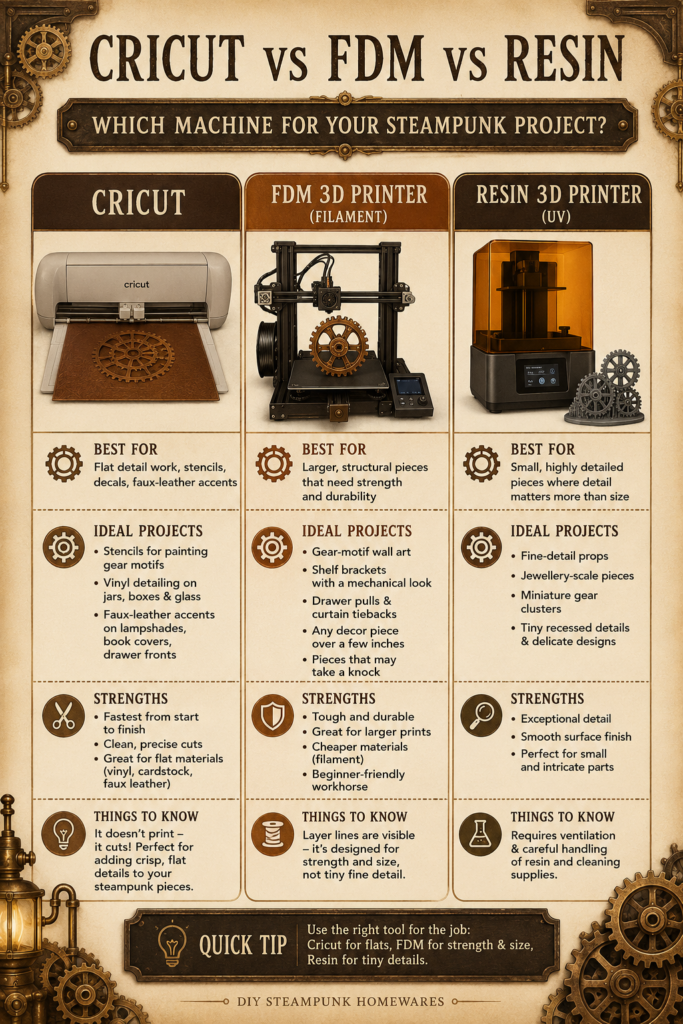
Reach for the Cricut when you want stencils for painting gear motifs onto furniture, vinyl detailing on glass jars or boxes, or faux-leather accents on lampshades, book covers, or drawer fronts. It is genuinely the fastest of the three machines, start to finish.
Reach for the FDM printer when you need anything structural or larger: gear-motif wall art, shelf brackets with a mechanical look, drawer pulls, curtain tiebacks, or any decor piece over a few inches across. It is also the right choice for anything that is going to take a knock, since FDM prints are tougher than resin.
Reach for the resin printer when the piece is small and detail matters more than size: fine-detail props, jewellery-scale pieces, miniature gear clusters, or anything with tiny recessed details that would print as a blurry mess on an FDM machine.
If you already have the projects mapped out from our 3D printing steampunk props and decor guide, most of what is there slots neatly into the FDM and resin categories above.
🧰 Where to Find (or Design) Steampunk Files
You do not need to model anything from scratch to get started, which was a genuine relief to discover.
Printables and Thingiverse both have active steampunk communities with free, ready-to-print files, everything from gear-and-cog shelf brackets to decorative cog stacks and mechanism-style wall pieces. Search “steampunk” plus whatever you are after (bracket, gear, cog, box) and you will generally find several versions to compare before committing to a print. Bambu’s own MakerWorld is also worth checking out for the FDM side of things.
For Cricut work, Cricut Design Space has its own library you can search directly, and steampunk-adjacent searches like “gear,” “cog,” or “Victorian” tend to surface stencil and cut-file options worth adapting.
If nothing quite matches what you had in mind, most of these files are open enough that a little resizing or mirroring in the free version of a slicer or Design Space gets you most of the way to custom without needing to learn full 3D modelling.
🕰️ Your First Project, Per Tool
If you own one of these already, or you are trying to decide which to buy first, here is where I would start with each.
First FDM project: a single gear-motif wall hook or shelf bracket. It is small enough to print in an evening, useful enough to actually get mounted rather than shelved, and forgiving if your first-ever print is not perfect.
First resin project: a small gear cluster or cog stack to sit on a shelf or bookcase. Low commitment, high detail payoff, and a good way to learn your resin workflow (curing, washing, ventilation) on something that is not precious.
First Cricut project: a stencil for painting a gear motif onto a plain box, tray, or the side of a piece of furniture you already own. It is the lowest-stakes of the three starter projects and the fastest to finish, which makes it a good confidence-builder if you are new to all three machines at once.
Start with whichever of these matches the machine you already have sitting in a box, and let the other two wait until the first one feels comfortable.
🔩 This Is a Learning-as-We-Go Journey
I want to end where I started: I am learning this alongside you, not teaching it down to you from some position of having it all figured out.
My FDM printer has had failed prints stuck to the bed at 11pm. Or turned a 12 hour print into a 3 day one because the poop chute wasn’t big enough to hold all the waste from a multi-coloured print. Which it kept filling up at 2am.
My resin printer taught me, the hard way, why proper ventilation is not optional. And that it can get a bit huffy if I go for a week or so without using it!
My Cricut has eaten more vinyl than I would like to admit. None of that means the tools are not worth it. It means steampunk making, like most crafts worth doing, comes with a learning curve, and the honest version of that curve is more useful to a beginner than a highlight reel ever would be.
If you are just starting to figure out your own steampunk making setup more broadly, our Getting Started with Steampunk Making guide is a good companion to this one, and if you want the slightly unhinged origin story of how I ended up with three new machines and a house full of gears, that lives here.
Pick one tool, pick one small project, and see where it takes your space. That is genuinely the whole method.